Targeting rules
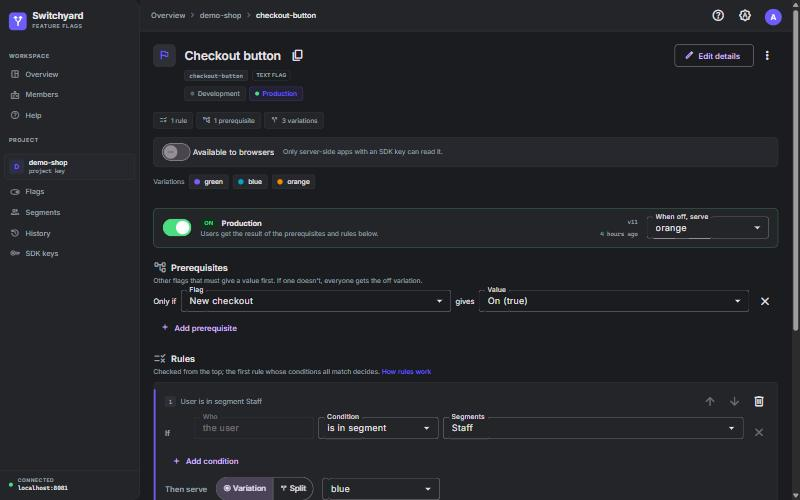
Text, numbers, versions, dates and patterns: email ends with @acme.com, app version before 2.4.0.
Put every release behind a flag. Roll it out to 1%, then 50%, then everyone. Target the users you choose, and switch anything off within a second, on your own servers.
Flags are checked in your app's memory, so they never slow it down or fail with the network.
Text, numbers, versions, dates and patterns: email ends with @acme.com, app version before 2.4.0.
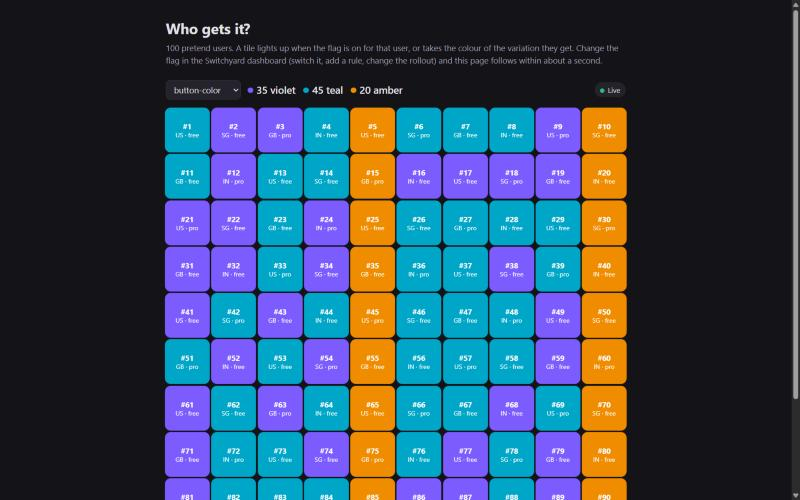
Raise 1% to 100% and nobody flickers: each user keeps their place, the same in every client library.
Serve text, numbers or JSON, not just on/off. Split 30/70 between a green and an orange button.
Define "Beta testers" once, by key and by rules, and target it from every flag.
Off beats every rule. Changes stream to connected apps in about a second, with polling as a safety net.
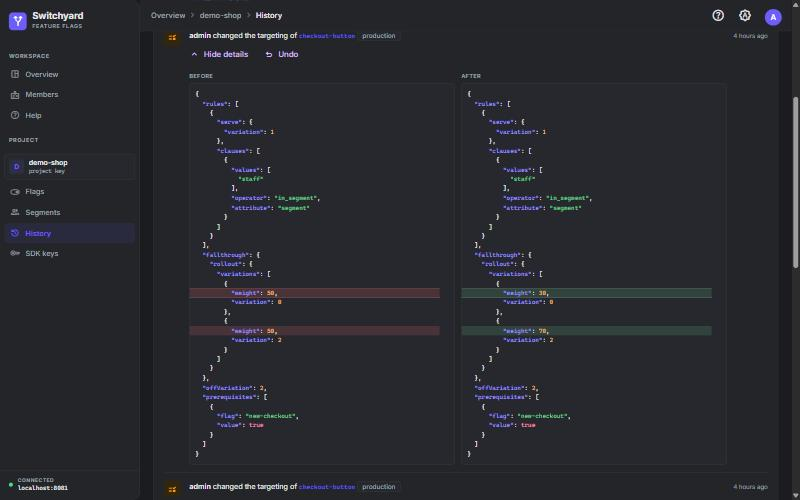
Who changed what, before and after, as a diff. One click puts any switch or targeting change back.
Sign in with GitHub. Viewers read, editors change, and only admins touch a protected Production.
Production changes can wait for a second person's OK, or for a time you pick. The server applies them.
Every change as a line in a Slack channel, or as signed JSON to your own services.
API tokens with their own role for CI. Add Staging, QA or any environment, copied from another.
Server libraries for Java and Node, a browser client with React hooks, and OpenFeature providers for both.
If the server goes away, apps carry on with their last flags and catch up when it's back.
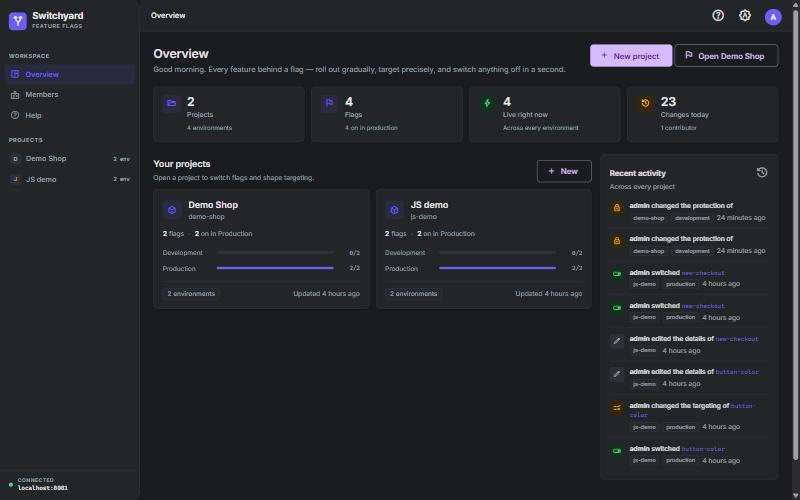
Switch it, add a rule, move a rollout. Every change is recorded with who made it.
A live stream announces the new version. Apps fetch it once, with an ETag, so unchanged polls cost nothing.
No network call per check. Browsers ask with a public ID and only ever see values, never your rules.
var flags = SwitchyardClient
    .builder(System.getenv("SWITCHYARD_SDK_KEY"))
    .baseUri("https://flags.example.com")
    .build();

var user = EvaluationContext.builder(userId)
    .attribute("plan", plan)
    .build();

if (flags.isEnabled("new-checkout", user, false)) {
    // the new checkout
}
String color = flags.stringVariation(
    "pay-button", user, "green");
import { SwitchyardClient } from 'switchyard-js';

const flags = new SwitchyardClient({
  sdkKey: process.env.SWITCHYARD_SDK_KEY,
  baseUrl: 'https://flags.example.com',
});

const user = { key: userId, attributes: { plan } };
if (flags.isEnabled('new-checkout', user, false)) {
  // the new checkout
}
import { SwitchyardWebClient } from 'switchyard-web';
import { SwitchyardProvider, useFlag } from 'switchyard-web/react';

// A public client-side ID: pages only ever see values
const flags = new SwitchyardWebClient({
  clientId: 'cli-…',
  context: { key: user.id },
});

function PayButton() {
  const color = useFlag('pay-button', 'green');
  return <button style={{ background: color }}>Pay</button>;
}
import { OpenFeature } from '@openfeature/server-sdk';
import { SwitchyardProvider } from 'switchyard-js/openfeature';

// Code written for OpenFeature works unchanged
await OpenFeature.setProviderAndWait(
  new SwitchyardProvider({ sdkKey, baseUrl }),
);

const client = OpenFeature.getClient();
const show = await client.getBooleanValue(
  'new-checkout', false, { targetingKey: userId });
Create one client when your app starts and check flags anywhere. The last argument is the safe default: what your app does before it has flags, or if a flag doesn't exist.
Every library follows the same written rules and passes the same 77 shared test cases, so a user gets the same answer in Java, Node and the browser.
Library docsHow each was measured: Architecture.
Product managers flip switches, engineers write rules, and History shows exactly what changed.
| Switchyard | Typical hosted flag service | |
|---|---|---|
| Where it runs | Your servers (or free hosting) | The vendor's cloud |
| Price | Free | Per seat or per monthly active user |
| Your users' data | Stays with you | Sent to the vendor for targeting |
| Standard API | OpenFeature providers, Java and JS | Usually OpenFeature too |
| Rules, rollouts, segments, undo | Yes | Yes |
| Approvals, schedules, Slack | Yes | Often on higher plans |
| Experiments with metrics | Not yet | Often, on higher plans |
The deploy guide walks through each step.
Start with the deploy guide, or run everything locally in three commands.